


Pose: AI Video Maker, AI Photo
4.411.47K Reviews
App Specs
- Version
- 1.4.5
- Updated On
- License
- Free
- Downloads
- 1,000,000+
- Developer
- SPARK DYNAMICS YAZILIM HIZMETLERI LIMITED SIRKETI
- Categories
- Photography
- Platform
- Android
Screenshots

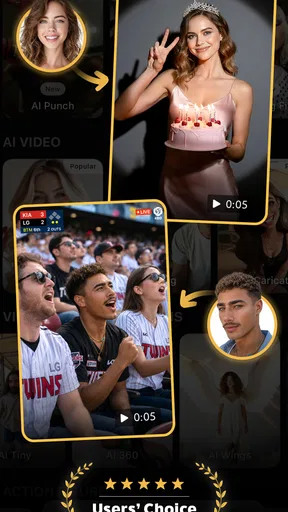
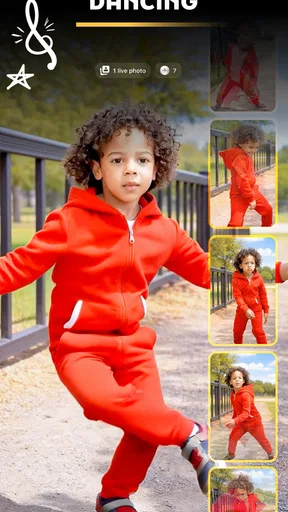
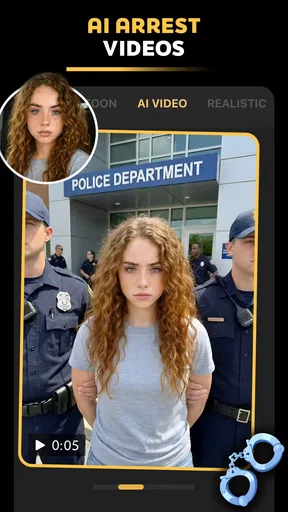
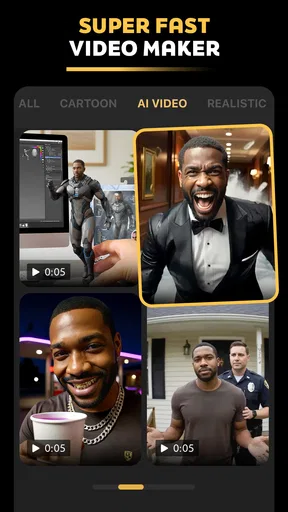
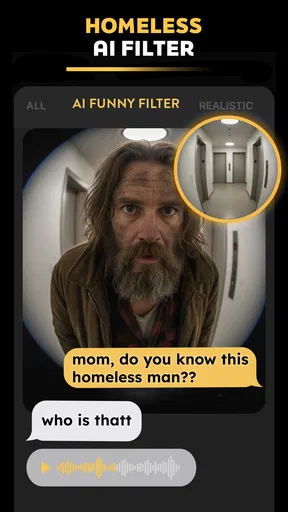
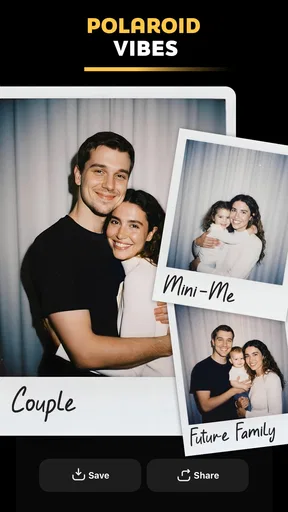
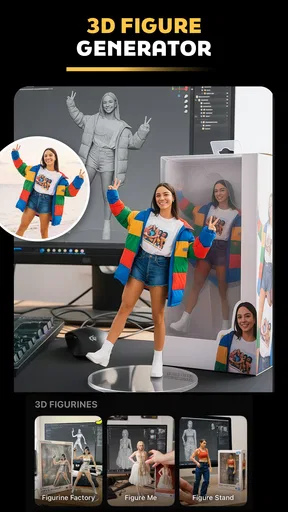
 Analysis by AppCompare
I judge Pose: AI Video Maker, AI Photo by a simple standard: does it help me turn an ordinary picture or clip into something I’d actually want to share, without making editing feel like a second job? Its appeal is the promise of quick, AI-led visual effects and video creation. That makes it interesting for casual social posts, though I’d treat it as a creative shortcut rather than a full replacement for a dedicated editor.
What I’d use it for day to day
The easiest way to get value from an app like Pose is to begin with a clear purpose. If I have one portrait I want to make more playful, I’d start there rather than importing a whole camera roll and hoping the app finds a direction. Its AI video and art-filter focus suits a small, specific idea: a fun transformation, a stylized image, or a short clip made to catch a friend’s attention.
That focus matters because automated effects work best when the source image is easy to read. A well-lit portrait with the subject clearly framed gives the app a better starting point than a dim, crowded shot. I’d choose a photo where the face is unobstructed, avoid mixing several people into one frame for an effect intended for a single subject, and keep an unedited copy. These are practical safeguards, not guarantees of a particular result; AI transformations can interpret a source in unexpected ways.
For a realistic everyday scenario, imagine I take a quick portrait before meeting friends and want a lighthearted post for a group chat. I can use Pose to explore a playful visual treatment instead of opening a complex editor and manually stacking effects. If the result feels fun, I can share it; if the transformation changes too much, I still have the original image to use elsewhere. That low-stakes approach is where I see the app making the most sense.
Choosing the right source and workflow
I’d also be selective about when to create. A trend-style clip can feel more personal if I choose the source image deliberately, rather than picking the first recent photo in the gallery. Before sharing, I’d check the face, hands, background, and any text in the frame: generated motion or stylization can make small details look odd even when the overall effect works. That quick review is especially useful when the image includes a child, a work setting, or anything I wouldn’t want altered in a surprising way.
One useful trade-off is speed versus control. A guided AI effect can save the time involved in building an edit by hand, but it may not give the precise timing, crop, typography, or layer-by-layer adjustments I’d expect from a traditional video editor. I’d use Pose for experimentation and quick social content, then move to a conventional editor when a clip needs exact cuts, captions, a deliberate soundtrack, or consistent branding.
The same distinction applies to still photos. A standard photo editor is usually the better choice when I want careful exposure correction, natural retouching, or a repeatable look across a set of pictures. Pose is more appealing when the goal is a noticeable transformation. I wouldn’t expect a dramatic AI treatment to preserve every detail of the original, so I’d compare the finished result against the source before deciding which one to keep.
Worth Reading Before You Choose

EA SPORTS FC Mobile 26 Is a Bigger Football Game, but It Takes Time

Flipboard Shows What News Apps Must Do Beyond the Feed

Switching to Android Auto Means Rethinking Your Driving Routine

Google Calendar Makes a Crowded Week Easier to Manage

Ludo King Makes the Most of the Minutes Between Plans

Baby Panda World Brings Quick Play to Modern Phones, but Its Game Library Feels Busy
Where it fits among photography apps
Pose sits in a different lane from a camera app, a manual photo editor, or a timeline-based video tool. A camera app helps capture the moment; a conventional editor gives me direct control over adjustments; Pose is aimed at applying AI-driven creative ideas with less hands-on editing. That makes it a useful companion rather than an all-purpose toolkit. If I already enjoy shaping every part of a project, the automated approach may feel restrictive. If I mainly want a quick visual experiment, the shorter path is the point.
The app is free to download, with in-app purchases listed from $7.99 to $69.99 per item. I’d explore what is available before building a routine around any paid effect, and check the purchase screen carefully so I understand the offer before confirming it. The free entry point makes it easy to try the general experience, but it doesn’t mean every creative option is necessarily included at no cost.
Who is likely to enjoy it
I’d recommend trying Pose if you like playful portraits, AI-style transformations, or making short visual posts but don’t want to learn a complicated editing workflow first. It may also suit someone who wants a quick creative activity between everyday tasks: choose an image, test a treatment, and decide whether the result is worth sharing. The developer is M2R Teknoloji Anonim Sirketi, and the app is listed in the photography category, with an Everyone content rating.
There are a few reasons I’d point someone elsewhere. If you need dependable, subtle retouching for important photographs, careful control of every edit, or a polished video assembled to a precise brief, a traditional editor is a safer fit. I’d also be cautious about choosing a source image when the exact appearance of a person matters: generated effects can change how a face or scene reads, so the output should be treated as an interpretation rather than a faithful record.
For families, the playful angle may be appealing, but I’d still review any result before sharing it publicly. An Everyone rating describes the app’s content rating, not whether every generated image will suit every audience or occasion. I’d use the same judgment I would with any edited portrait: check that the person pictured is comfortable with the result and that the finished post is appropriate for where it’s going.
What to know before installing
Pose was released on October 31, 2025, and version 1.3.12 requires Android 9 or later. Its average rating is 4.5 from around 21,000 ratings, with about 8,500 written reviews, and it has passed 500,000 installs. Those figures suggest that plenty of people have tried it, but they can’t tell me whether a particular effect will suit my taste. I’d treat them as context, then judge the app by the results I can make with my own photos.
A question I’d ask before installing is whether I can use it for an existing photo rather than only taking a new one. The app’s workflow supports capturing new content or uploading existing media, so I can try an effect on a picture I already have. I’d begin with a copy or a nonessential image, which makes it easier to compare the treatment with the original and avoid losing a version I prefer.
Another practical question is whether it replaces a regular editor. For me, it doesn’t: its value is the AI-led creative treatment, while precise polishing belongs in a tool built around manual adjustments. If I’m deciding whether to pay for an option, I’d first establish that the effect suits my intended use, then review the purchase terms in the app rather than assuming the free download includes everything I want.
Ever found yourself scrolling through endless apps trying to find the perfect tool to spice up your video and photo game? I’ve been there too, and let me tell you about this gem I stumbled upon: Pose: AI Video Maker, AI Photo. It's like having a personal director and photographer right in your pocket. Let’s dive into what makes this app stand out from the crowd.
Getting Started with Pose
First things first, downloading Pose: AI Video Maker, AI Photo was a breeze. Available on both Android and iOS, it’s just a tap away in your app store. Once installed, the app welcomes you with a sleek interface that’s both easy on the eyes and intuitive. It doesn’t bombard you with options, but rather guides you gently into its features, which is something I really appreciated.
Features that Shine
Now, let’s talk about the cool stuff. The app uses AI technology to enhance your videos and photos, and honestly, it feels like magic. You start by either capturing new content or uploading existing media. The app’s AI then analyzes your content to suggest edits and enhancements. I tried it out with a simple selfie, and the results were impressive.
The video-making aspect is where Pose really flexes its muscles. You can create professional-looking clips with a few taps. The AI automatically adjusts lighting, color balance, and even suggests transitions to make your videos pop. I made a short video montage of my recent hiking trip, and it looked like something out of a travel vlog!
User Experience: Smooth and Engaging
One of my favorite things about Pose is how it manages to keep everything so user-friendly. The navigation is straightforward, and the app doesn’t lag or crash, which is crucial when you’re in the creative zone. The AI suggestions are spot-on most of the time, and even if you’re not tech-savvy, you’ll find it easy to tweak settings to your liking.
Another neat feature is the community aspect. You can share your creations within the app and get feedback from other users. It’s a nice touch that adds a social layer to your creative process.
Why Pose Stands Out
In a sea of photo and video editing apps, Pose’s use of AI sets it apart. It’s not just about slapping on filters; it’s about enhancing your content in a way that feels professional yet personal. The AI’s ability to learn from your editing preferences over time is a game changer. It’s like the app adapts to your style, making the creative process feel more collaborative.
Plus, the app is constantly updated with new features and improvements. The developers seem committed to keeping it fresh and relevant, which is always a plus in my book.
Final Thoughts
If you’re on the hunt for an app that brings out the best in your photos and videos without the steep learning curve, give it a try. It’s perfect for both casual users and those looking to level up their social media game. Whether you’re capturing memories or creating content, this app has got your back. Dive in, experiment, and let your creativity shine with Pose!
Pros
- User-friendly interface for easy navigation.
- Wide variety of AI-driven photo effects.
- Quick rendering of video projects.
- Supports high-resolution outputs.
- Regular updates with new features.
Cons
- Limited free features without subscription.
- Occasional crashes on older devices.
- Large app size may impact storage.
- Requires constant internet connection.
- Some features locked behind paywall.
FAQs for Pose: AI Video Maker, AI Photo
What features does Pose: AI Video Maker, AI Photo offer?
Pose: AI Video Maker, AI Photo provides a range of features including AI-powered video editing, photo enhancement, and creative filters. Users can create professional-quality videos and photos with ease, leveraging tools like auto-editing, background removal, and style effects. The app also supports various export formats suitable for social media sharing.
Is Pose: AI Video Maker, AI Photo free to use?
Pose: AI Video Maker, AI Photo offers both free and premium versions. The free version includes basic features, while the premium subscription unlocks advanced tools such as additional filters, high-resolution exports, and ad-free usage. Users can choose monthly or yearly plans depending on their needs.
What are the system requirements for Pose: AI Video Maker, AI Photo?
Pose: AI Video Maker, AI Photo is compatible with both Android and iOS devices. For optimal performance, it is recommended to use a device running Android 8.0 or higher or iOS 12.0 or later. Ensure sufficient storage space is available for saving edited media files.
How user-friendly is Pose: AI Video Maker, AI Photo for beginners?
The app is designed with an intuitive interface, making it accessible for beginners. It includes tutorials and guided walkthroughs to help users navigate its features. The AI-based tools automate complex editing tasks, allowing users with minimal experience to produce impressive results effortlessly.
Can I share my creations directly from Pose: AI Video Maker, AI Photo?
Yes, the app allows users to share their edited videos and photos directly to social media platforms like Instagram, Facebook, and TikTok. It supports various aspect ratios and resolutions to ensure compatibility with different platforms, making it convenient for users to showcase their creations.


